The Wave Crew Wave Petunias | Wave Pansies
Spring is here! That means it’s time to start thinking about your petunia garden. What better way to begin than with a planting plan for your Wave® Petunias. Here, we’ll show you a few examples to get your garden started with these five helpful tips.
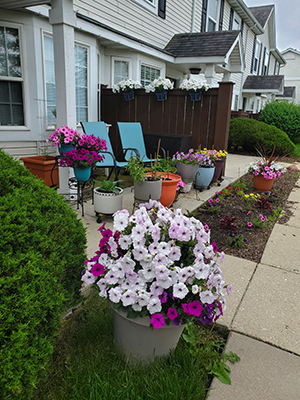
1. Find your spot (in a sunny location). Deciding where you want your Wave Petunia Garden is sometimes the hardest part, but when you find the perfect sunny spot, you’ll know.
2. Measure your space. It’s important to measure out how much space you actually have if you’re planting in the ground. If you’re container gardening, you can measure for how many containers will fit in your desired space.
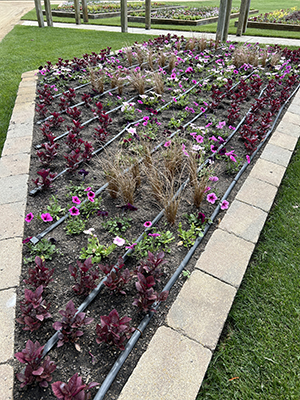
3. Think about the layout of your garden. This is the time to layout your space. Get your sketch pad and pencil. Draw out your design. You can start counting how many plants you’ll actually need during this stage.
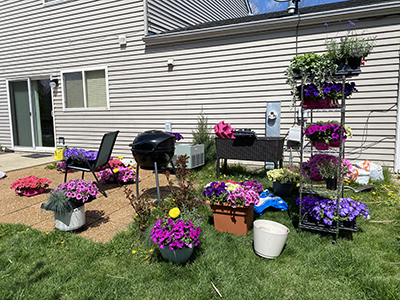
4. Buy your plants. Now is the best part! When you’re at the garden center, you’ll be able to see all the colors of Wave Petunias that are available and looking their best.
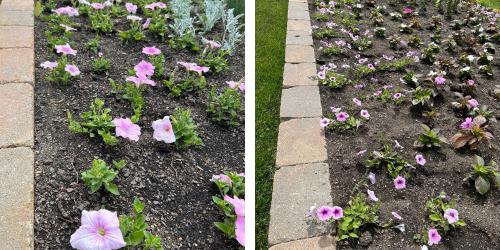
5. Arrange your Wave Petunias by section. You can count how many plants fit in your containers, or place each plant in its designated spot that will be planted in the ground.
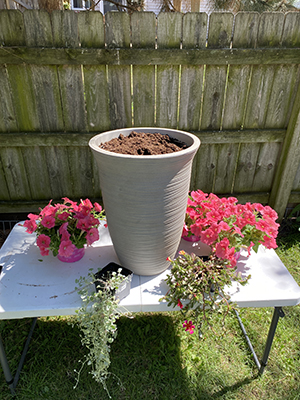
Now that you have everything set according to your layout, you can start digging. Be sure to have a good pair of garden gloves and the right shovel.
The holes for your Wave Petunias should be about six inches wide by six inches deep. For in-ground planting, space your petunias about 12 inches apart and watch them spread throughout the season. Soon you’ll be enjoying your own Wave Petunia Garden all summer long!